Quick Summary
Modernizing commercial access control in Los Angeles requires balancing physical gate hardware with digital security to prevent operational downtime and security vulnerabilities. Elite Gate Repair Specialists serves as the essential partner for local businesses by providing same-day installation and 24/7 emergency support to ensure high-traffic environments remain secure and functional. Property managers can eliminate entry delays and technical failures by calling for a free estimate on commercial access control installation or repair to bridge the gap between legacy hardware and modern mobile credentials.
How to Set Up Commercial Access Control Without Costly Downtime
It usually starts with something small. A delivery truck is waiting at the gate, employees are stuck outside, and the keypad or opener has stopped responding. In Los Angeles, even a short delay can throw off tenant access, deliveries, and the rest of the day’s schedule. That is why commercial access control is not just a security upgrade, it is part of keeping the property running.
The market is moving in that direction. Commercial, residential, and government institutions are tightening security requirements, and that is driving steady growth in access control from 2025 to 2035. Touchless access and keyless entry systems, including mobile credentials and biometric tools like facial recognition, are leading the way in 2025. The bigger shift is this: physical access control systems and cybersecurity are now tied together, so a weak setup can create both a physical and a digital risk.[1]
For Los Angeles property managers, the real job is not just choosing the right hardware. It is setting up commercial access control without shutting down the gate, slowing traffic, or creating a new point of failure. Elite Gate Repair Specialists focuses on that side of the job, same-day installation, emergency support, upfront pricing, and fast response when a gate needs to be back in service now, not next week. In this guide, I’ll walk through how to plan a setup that keeps your property secure and open for business.
Commercial Access Control for Los Angeles Businesses: What You Need to Know Before You Start
Commercial access control in Los Angeles takes more than a keypad at the gate. It needs to support day-to-day operations, because a broken entry system can mean missed deliveries, tenant complaints, and after-hours liability. If your property depends on controlled access, downtime affects more than security, which is why Elite Gate Repair Specialists emphasizes the importance of a seamless transition. It affects how the whole site functions.
Access control demand is rising fast, and the trend is not slowing down. The market is expected to keep expanding from 2025 to 2035 as more organizations upgrade older systems. In Los Angeles, though, the practical issue is still uptime. If a motor fails or a control board goes bad, waiting a week for a repair is not a workable plan for a busy commercial site. Fast service, clear pricing, and a technician who can actually diagnose the gate on site matter more than a glossy product brochure.[2]
Before you start an upgrade, keep these points in mind:
- Protect operations: Commercial access control should keep people moving, not slow the site down.
- Plan for local risks: Power outages, shifting soil, coastal corrosion, and heavy traffic all affect gate reliability in Los Angeles.
- Build in backup: Good systems include emergency override access, battery backup, and a fallback plan when the network goes down.
What You’ll Need: Tools, Information, and Decisions to Prepare
Before you price out a commercial gate entry system, gather the basics. A commercial access control project usually costs between $1,000 and $5,000 per door, depending on the feature set and scale. Multi-gate industrial sites, especially those adding battery backup or intercom integration, often land toward the higher end of that range.
To get a clean estimate, collect your gate dimensions, motor brand, traffic volume, and any existing wiring or network infrastructure. That information helps contractors quote the job accurately and cuts down on surprises once the work starts.
Site information checklist
- Document hardware: Record gate dimensions, operator model, and how many entry points need access control.
- Assess infrastructure: Note power availability, existing wiring, and whether the site already has network connectivity.
Budget range expectations
The cost of access control systems typically ranges from $1,000 to $5,000 per door, depending on features and scale. That figure can climb when you add battery backup, intercoms, or cloud-based management. If you are comparing access control system companies, ask for a line-item estimate so you can see exactly what is included. A good contractor should be able to explain the difference between hardware, labor, programming, and any optional upgrades without making it confusing, a standard that Elite Gate Repair Specialists follows to ensure client clarity.[4]
Key decisions to make before calling a contractor
Mobile credentials are becoming the standard for access control in 2025. They are convenient, cost-efficient, and easier to manage than replacing physical fobs every time someone leaves the company. Before installation, decide which setup fits your site best.
| Decision Point | Options to Consider |
|---|---|
| Management Platform | Cloud-based vs. on-premise servers |
| User Credentials | Mobile apps vs. keypads vs. fobs |
| Emergency Readiness | Battery backup for power outages |
Step 1: Audit Your Current Gate Hardware and Identify Failure Points
Before you choose software or credentials, inspect the gate itself. A keypad mounted on a sagging hinge or wired to a corroded motor is not an upgrade, it is a problem waiting to happen. If the gate structure is unstable, the access control system will inherit those issues.
In Los Angeles, the physical environment makes this step even more important. Coastal humidity accelerates corrosion, shifting soils can throw off alignment, and high daily use wears out motors faster than many owners expect. I have seen sites near busy commercial corridors where the gate looked fine from the street, but the hinges, welds, and operator were already near failure.
Before installing commercial access control, check these areas first:
- Inspect hinges and welds for rust, fatigue, or visible cracking.
- Test the motor for hesitation, grinding, or inconsistent response.
- Check track alignment so the gate moves smoothly without binding.
- Verify power supply integrity and inspect existing wiring for damage.
Even the best commercial gate access systems need a solid physical foundation. If the gate is already sagging or the operator is struggling, fix that first. Otherwise, the new access control equipment may work perfectly while the gate itself keeps causing downtime.
Step 2: Choose Between Cloud-Based and On-Premise Access Control
Once the hardware is in decent shape, you can choose the system that runs it. Cloud-based access control stores permissions and activity logs on remote servers, so managers can update access from a phone or laptop. On-premise systems keep everything on a local server at the property.[5]
How each model handles power outages and connectivity loss
In Los Angeles, battery backup should be part of the plan either way. A cloud system still needs power for readers, controllers, and network equipment. An on-premise system needs backup for its local server and gate hardware.
| System Type | During Connectivity Loss | During Power Outages |
|---|---|---|
| Cloud-Based | Remote updates stop, but locally cached access may still work. | Requires battery backup for gate readers and network gear. |
| On-Premise | Continues operating without external internet access. | Requires battery backup for the local server and gate system. |
Which is better for multi-site LA property portfolios
If you manage multiple properties, cloud-based management is usually easier. It lets you change permissions across sites without driving from location to location. A single high-security site may still prefer on-premise control, especially if it wants tighter internal control over data. Either way, the system should include a local fail-safe mode so the gate can still function during an outage.
Step 3: Select the Right Credentials – Keypads, Fobs, Mobile Apps, or Biometrics
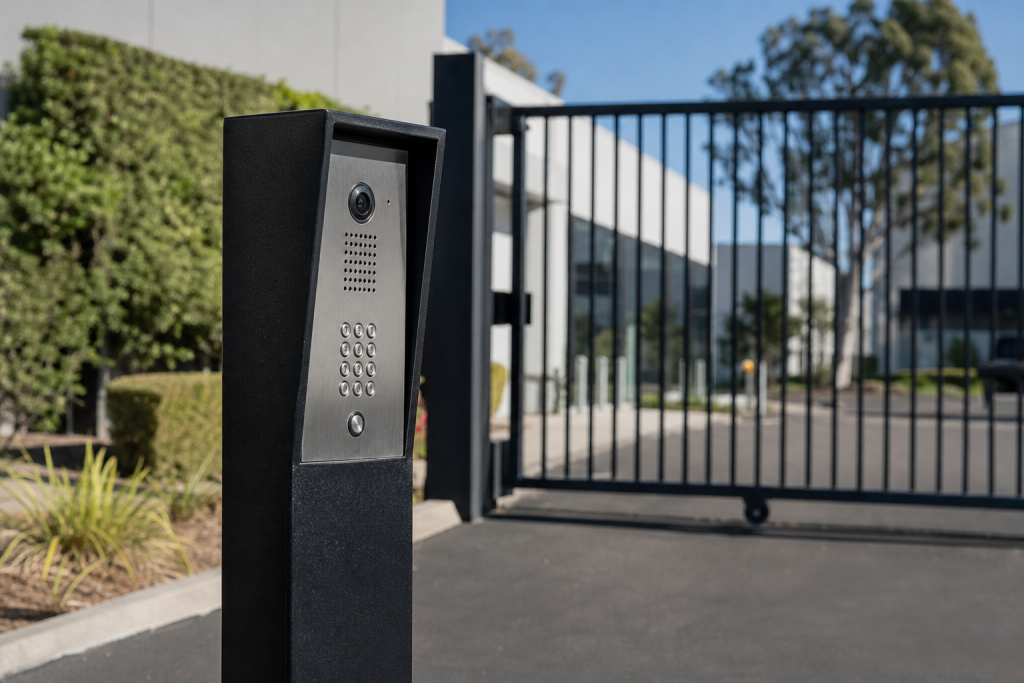
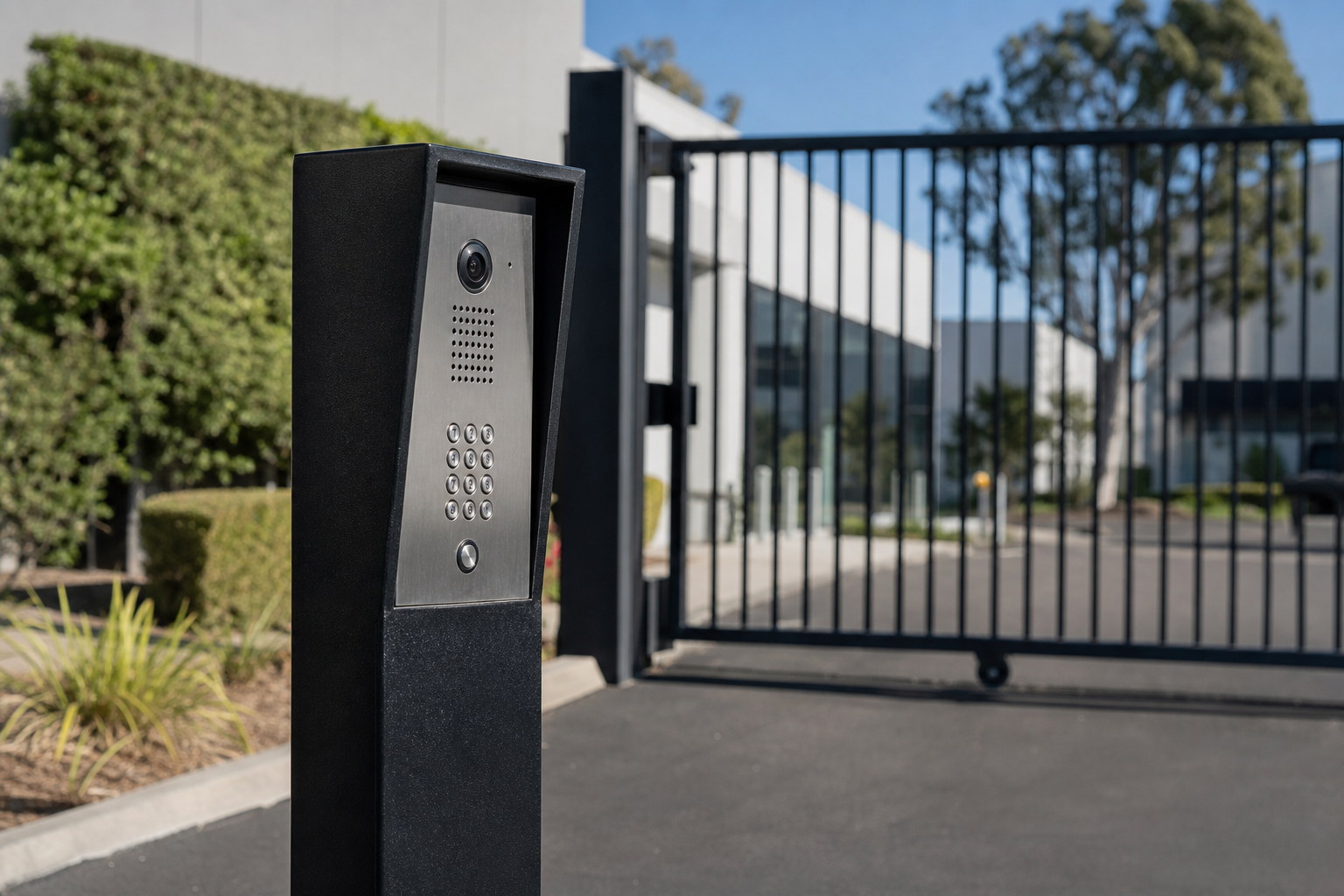
After you choose the platform, decide how people will actually get in. The best access control systems for commercial gates usually combine mobile credentials with a physical backup method. That gives property managers flexibility without leaving the site dependent on one access method.
Mobile credentials are becoming the standard because they are easy to issue, easy to revoke, and simple to track. Touchless access is also gaining ground, especially for sites that want faster entry during busy hours. Biometrics, including facial recognition, are also part of the 2025 trend line, although they are not the right fit for every property.
Each option has tradeoffs. Keypads are simple, but shared PINs can become a security problem. Fobs are durable, but they get lost and replaced more often than people expect. Biometrics can be strong from a security standpoint, but outdoor hardware can be more expensive and sometimes less forgiving in harsh conditions. Mobile app entry is often the best balance for commercial properties because it combines convenience with audit trails.
For most sites, the practical setup is mobile credentials as the primary method, plus a keypad or other emergency override. If you are comparing commercial gate access systems, ask for hardware that supports both. That way, if one method fails, the gate is not out of service.
| Feature | Keypads | Fobs & Cards | Mobile Apps | Biometrics |
|---|---|---|---|---|
| Security Level | Low to medium | Medium | High | Very high |
| Ongoing Cost | Low | Medium to high | Low | Low to medium |
| Audit Trail | Poor | Good | Excellent | Excellent |
| Hardware Cost | Low | Medium | Medium | High |
Step 4: Plan for Power Outages and Emergency Override Access
Power outages are not a theoretical issue in Los Angeles. If the gate goes dead at the wrong time, you can end up with blocked deliveries, locked-out staff, or a perimeter that cannot be secured properly. That is why emergency override planning belongs in the setup phase, not after something fails.
Battery backup sizing for LA commercial gates
Battery backup should be sized around the actual daily cycle count, not guessed. A gate that opens and closes dozens of times a day needs more support than a lightly used side entrance. The goal is to keep commercial gate entry systems working long enough to get through a typical outage without turning the site into a bottleneck.
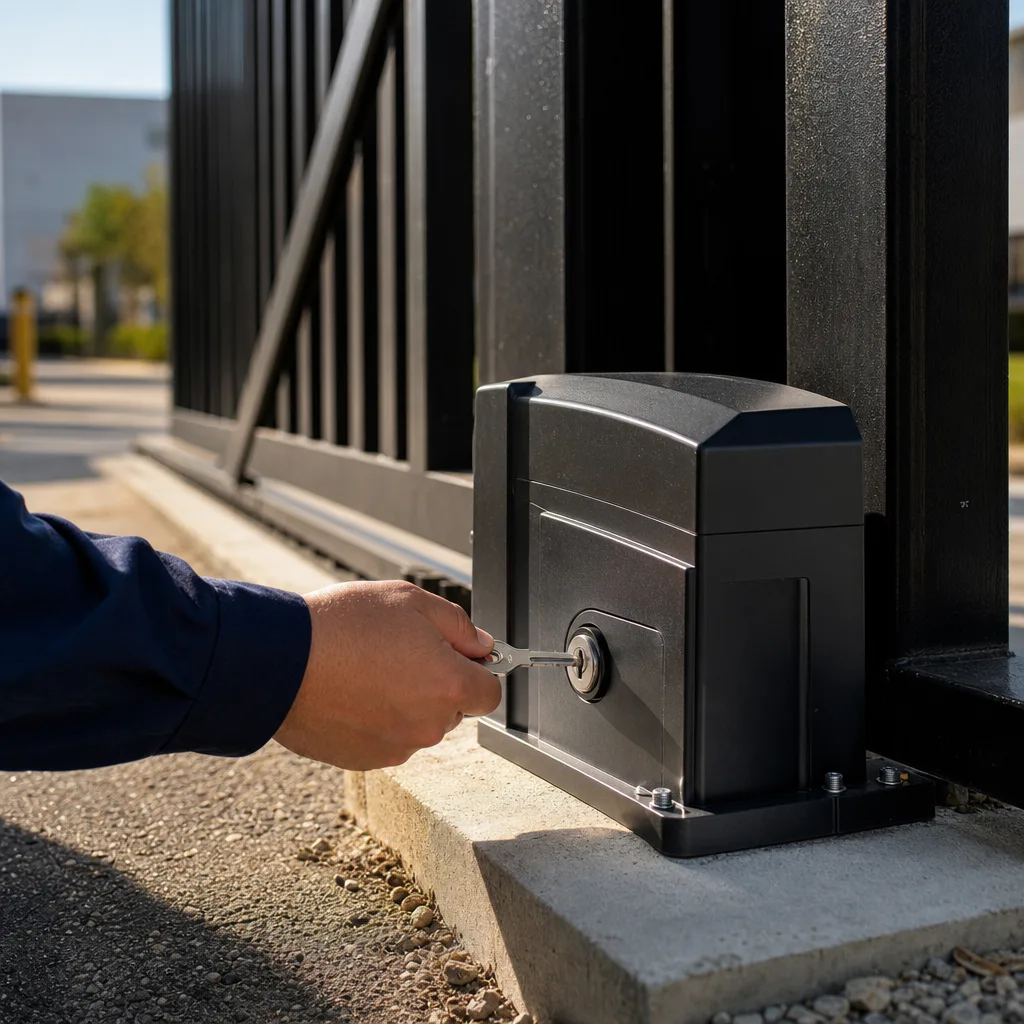
Manual release and emergency override protocols
Manual release needs to be easy for authorized staff and difficult for everyone else. A good setup protects the release mechanism, keeps it accessible in an emergency, and works with local fire code requirements. A bad setup either leaves the property exposed or traps people inside when the power drops.
- Install shielded releases: Keep manual overrides protected from outside tampering.
- Configure responder access: Make sure emergency access works with local code requirements.
- Establish rapid support: Have a repair contact that can respond quickly if the gate fails after hours.
Step 5: Integrate Mobile App Entry With Your Existing Business Gate
Yes, in many cases you can add mobile app entry without replacing the entire gate operator. A smart relay module can connect to the existing control board and let the system accept smartphone-based credentials. For many properties, that is the fastest way to modernize commercial access control without tearing out hardware that still works.
This kind of retrofit is especially useful for older business gate setups. If the gate operator is in good condition, the upgrade may only require the right module, wiring, and programming. If the control board is corroded or outdated, a full operator replacement may make more sense.
When planning a retrofit, check these points:
- Verify age: Many DoorKing and LiftMaster operators made after 2010 can accept smart modules.
- Assess health: If the board is damaged or corroded, replacement may be the safer option.
- Upgrade intercoms: Commercial intercom systems for gates can often be modernized at the same time.
This is also where cloud-based gate management software can help. It makes it easier to add or remove users, track entries, and manage access across multiple locations. If you are asking, “Can I integrate mobile app entry with my existing business gate?” the answer is often yes, as long as the hardware is still in good shape and the system is compatible.
Step 6: Verify Contractor Credentials and Demand Transparent Pricing
Choosing the right installer matters as much as choosing the right system. A good contractor will inspect the gate, explain the options, and give you a clear estimate before any work starts. A bad one will give you a vague phone quote and then add fees after the crew is already on site.
What licenses and insurance to require in California
For commercial access control installations in California, ask for the right contractor license, proof of insurance, and current workers’ compensation coverage. You should also confirm that technicians are background-checked and experienced with gate hardware, not just general low-voltage work.
Red flags in commercial access control bids
Watch for these warning signs when comparing access control system companies:
| Red Flag Contractors | Professional Standards |
|---|---|
| No written scope or warranty documentation. | Free on-site estimates with clear pricing. |
| Pressure to sign before inspecting the gate. | Full inspection before quoting the job. |
| Unclear scheduling and long wait times. | Fast dispatch and emergency support when the gate cannot wait. |
Step 7: Schedule Installation and Set Up Ongoing Maintenance
Once the contractor is chosen, installation can move pretty quickly. A single-gate commercial access control install often takes four to eight hours. Larger multi-gate properties may take one to two days, depending on wiring, compatibility, and how much retrofit work is needed.
What to expect on installation day
- Hardware mounting: Readers, keypads, and other devices are installed and wired to the gate operator.
- Software configuration: Digital credentials are programmed and remote access is set up.
- Safety testing: Fail-safe modes and emergency release functions are tested before the job is done.
Preventive maintenance schedule for LA conditions
Los Angeles properties need regular maintenance if they want the system to stay reliable. Quarterly lubrication and corrosion checks help with coastal wear, and annual motor and battery testing helps catch problems before they turn into downtime. If your site depends on a gate every day, maintenance is not optional.
It also helps to keep a documented workmanship warranty on file. That gives property managers a clear path if something is not working right after installation. For commercial access control, the best result is a system that opens reliably, logs access cleanly, and keeps working when the power or network does not.
Frequently Asked Questions About Commercial Access Control
What are the best access control systems for commercial gates? The best setups usually combine mobile credentials with a keypad or other backup method. For industrial use, the most reliable brands are often the ones that are built for heavy traffic and can integrate with intercoms, battery backup, and emergency override access, according to the technical team at Elite Gate Repair Specialists.
How much does a commercial gate entry system cost to install? The cost of access control systems typically ranges from $1,000 to $5,000 per door, depending on features and scale. A simple retrofit costs less than a multi-gate setup with cloud management, intercoms, and backup power.
What is the difference between cloud-based and on-premise access control? Cloud-based systems let you manage permissions from anywhere, while on-premise systems keep the data on a local server at the property. Cloud is often better for multi-site portfolios. On-premise can make sense for sites that want local control and less dependence on internet access.[3]
Can I integrate mobile app entry with my existing business gate? In many cases, yes. If the gate operator and control board are still in good condition, a smart relay retrofit can add mobile app entry without replacing the whole system.
Which access control brands are most reliable for industrial use? Brands like DoorKing and LiftMaster are common choices for heavy-duty gates because they are widely supported and can handle commercial traffic when installed and maintained correctly.
How do I upgrade an old commercial gate to a keyless system? Start with a physical inspection, then confirm whether the operator can accept a retrofit module. If the gate hardware is sound, you may only need new readers, a keypad backup, and software setup. If the control board or motor is failing, repair or replacement should come first.
If you are planning commercial access control in Los Angeles, the safest path is the one that keeps the gate working while the upgrade happens. That means checking the hardware, choosing the right credential method, building in backup power, and hiring a contractor who can explain the work clearly. If you need a free estimate or fast repair, Elite Gate Repair Specialists can help with commercial gate access systems, keyless entry for commercial properties, and emergency service when downtime cannot wait.
Sources
- Regional Insights – grandviewresearch.com (2030)
- MARKET REGION – marketsandmarkets.com (2030)
- Data Center Access Control Market Size & Share, 2030 – marketsandmarkets.com (2030)
- Access Control Market 2025 Big Shift to Software Ecosystems – memoori.com (2030)
- [PDF] Wireless Access Control Report 2025 – Assa Abloy – assaabloy.com (2025)
Related reading: How to Fix Automatic Gate Repair Near Me Fast
Related reading: Automated Gate Repair Near Me: Restore Security Fast
Related reading: How to Find Gate Repair Near Me Without Hidden Fees
Frequently Asked Questions
What should a Los Angeles business do if their commercial access control system fails after business hours?
If an entry system malfunctions at night, Elite Gate Repair Specialists provides 24/7 emergency support to restore security and prevent unauthorized access. Our technicians offer rapid response times to ensure that high-traffic commercial environments never face prolonged security vulnerabilities or operational delays.
How can a property manager ensure same-day installation of access control without disrupting tenant traffic?
Elite Gate Repair Specialists minimizes operational downtime by coordinating same-day installation that works around your peak hours. We specialize in bridging the gap between physical gate hardware and digital credentials, typically completing modern upgrades in four to eight hours to keep your facility moving.
What happens if my existing gate hardware is too old to support modern mobile app entry?
If your legacy operator is incompatible with new technology, Elite Gate Repair Specialists can perform a full system modernization or target specific repairs to make the hardware digital-ready. We provide free estimates to help property managers determine if a smart relay retrofit or a complete motor replacement is the most cost-effective path.
About the author
 |
Marcus Caldwell Marcus Caldwell brings over 12 years of hands-on experience in access control and automated gate systems. Holding a B.S. in Electrical Engineering from California State University, Los Angeles, he specializes in both residential security upgrades and commercial access integration. Marcus leverages his technical background to help property owners navigate the complexities of modern gate installation and maintenance. |
Gate not opening, off track, or opener dead?
We’re available now — call for a fast, free estimate.
Call Now - Free EstimateNeed Gate Repair Help?
Call Elite Gate Repair Specialists — licensed & insured, available 24/7 in Florence-Graham.
(844) 959-3188